


Sales Director


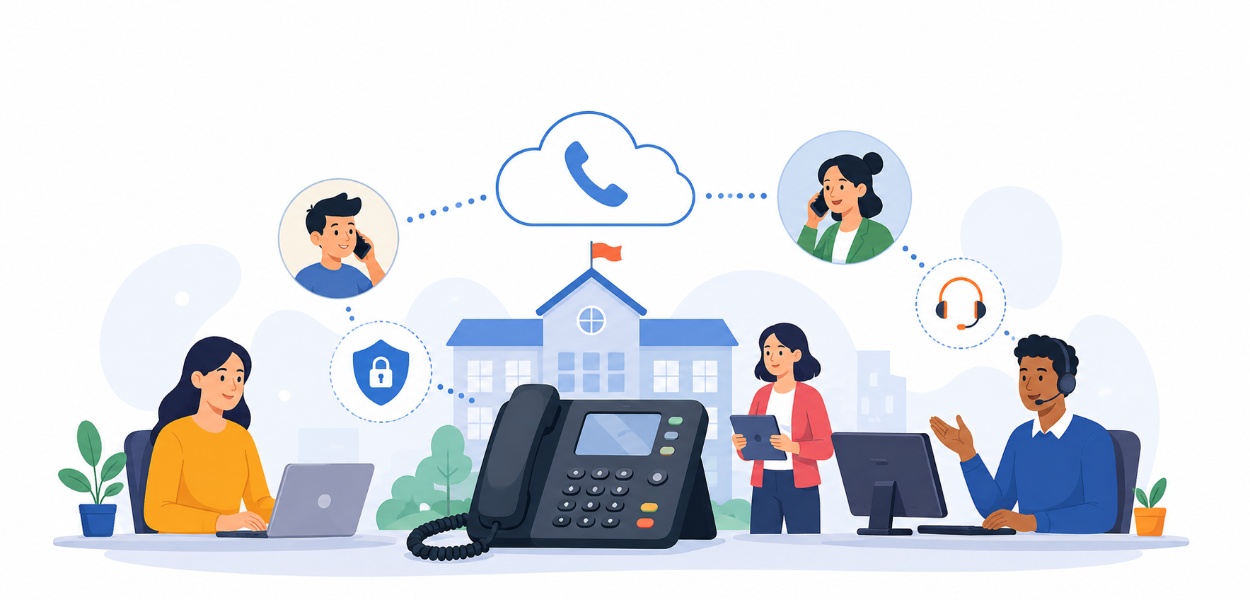


Written for headteachers, IT directors, school business managers, and MAT leaders responsible for campus infrastructure. Drawing on hands-on deployment experience across primary schools, secondary schools, and multi-academy trusts, this guide reflects current Ofcom and Openreach guidance on the UK’s PSTN/ISDN switch-off.
Communication is the nervous system of any school. It connects the front office to the classroom, the classroom to the car park, and the school gates to worried parents on a snow day. Yet in thousands of schools, academies, and local authority settings across the UK, that nervous system is still running on infrastructure designed in the 1980s: crackling copper lines, an ageing PBX cabinet wedged in a cupboard, and a maintenance contract that costs more every year for a system that does less every year.
This guide exists to change that. Whether you’re evaluating school phone systems, comparing education phone systems against a wider IT refresh, or scoping a full cloud phone systems for schools rollout across a multi-academy trust, you’ll find everything you need here — from the technology itself to the safeguarding, cost, and compliance pressures driving the change across Hampshire, Dorset, and the wider South Coast education sector. If you’d rather speak to a specialist directly, our dedicated education sector team works exclusively with schools, academies, and MATs across the UK.
A modern school telephone system is no longer just a switchboard for answering incoming calls. Today’s phone systems for schools are cloud-based communication platforms — sometimes called hosted phone systems or digital phone systems — that unify voice calls, internal messaging, PA/tannoy integration, and emergency alerting into a single, manageable system, accessible from a desk phone, a laptop, or a mobile app.
This shift is part of a broader move toward education telephony that behaves less like a standalone piece of hardware and more like connected infrastructure, sitting alongside your Wi-Fi, your safeguarding software, and your MIS platform — whether that’s SIMS, Arbor, Bromcom, or a Wonde-integrated system.
Where a legacy system simply routed calls, a modern school communication systems platform typically includes:
In short, a modern school VoIP deployment treats the phone not as a legacy utility, but as a strategic safeguarding and operational tool — one that happens to also make and receive calls.
For most school leaders, the decision to upgrade isn’t driven by a desire for shiny new technology. It’s driven by three converging pressures: safety obligations, spiralling costs, and the day-to-day inefficiency of a system that simply can’t keep up with modern demands — pressures felt equally by academies, local authority schools, and independent schools alike.
Ofsted and the Department for Education (DfE) place safeguarding at the heart of every inspection framework, and telephony plays a bigger role in that than many leadership teams realise. A properly integrated school intercom and phone systems setup — tied into lockdown procedures, fire alarms, and PA hardware — can be the difference between a coordinated emergency notification system and a chaotic one. Legacy analogue systems typically can’t broadcast a real-time announcement to every classroom, corridor, and playground speaker simultaneously; modern IP-based systems can.
Legacy PBX and ISDN lines are becoming disproportionately expensive to maintain. Engineers who understand ageing copper infrastructure are increasingly scarce, spare parts are harder to source, and line rental charges creep upward year after year — all for a system with a fixed expiry date under Openreach’s national digital switchover. Every year a school delays migration to cloud telephony for schools is a year of paying premium prices for infrastructure that’s already being phased out.
Anyone who has worked a school reception desk during a snow day or a flu outbreak knows the pain of a switchboard that can only handle a handful of simultaneous calls. Modern hosted VoIP solutions can handle high call volumes without engaged tones, route overflow calls to mobile devices, and even push pre-recorded absence-reporting messages — freeing office staff to deal with priority calls instead of repeating the same information forty times before 9am.
Understanding the different business phone systems for schools on the market — not just “old vs new” — is essential before any procurement conversation begins. There are five main categories worth knowing.
A PBX for education setting is physical hardware, usually kept in a server room or cupboard, connecting internal extensions to the outside phone network via analogue or ISDN lines. Adding an extension often means an engineer visit; if the hardware fails, the whole school can lose calling ability until a technician arrives.
A hosted PBX (or cloud PBX) moves the exchange itself off-site into a data centre managed by your provider — see our full explainer on what hosted PBX actually means. Handsets and behaviour feel familiar to staff, but there’s no physical box on-site to fail, maintain, or outgrow.
SIP telephony connects an existing on-premise PBX to the internet instead of physical phone lines, using SIP trunks to carry calls as data via Session Initiation Protocol. It’s a useful stepping-stone for schools not yet ready to replace hardware outright, but still needing to move off retiring analogue and ISDN lines.
A hybrid model runs on-premise hardware alongside cloud-hosted features — common where a school wants to retain existing handset investment while gaining cloud resilience, mobile working, and modern call routing.
Hosted VoIP is a complete cloud phone system: no on-site exchange at all, extensions managed through a web portal, and calls travelling as data over your existing internet connection — read our full guide to what hosted VoIP is for the full technical picture. This is where most schools ultimately land, and where school VoIP and digital phone system schools searches are increasingly pointing.
Some schools — particularly those already standardised on Microsoft 365 — extend Teams into a full Teams Calling telephony solution, using Teams as the softphone client for both internal collaboration and external calls via a connected SIP trunk or Teams Phone plan.
| Feature | Legacy PBX | Hosted PBX / Cloud VoIP | SIP Trunking | Hybrid | Teams Calling |
|---|---|---|---|---|---|
| Setup cost | High | Low | Medium | Medium | Low–Medium |
| On-site hardware | Required | Minimal | Existing PBX retained | Partial | Minimal |
| Scalability | Slow, engineer-led | Instant, self-service | Moderate | Moderate | Instant |
| Remote/mobile working | Not supported | Fully supported | Depends on PBX | Partial | Fully supported |
| PSTN switch-off ready | No | Yes | Yes | Partial | Yes |
| Best for | Schools not yet migrating | Most schools & MATs | Schools retaining existing PBX | Phased upgrades | Microsoft 365 schools |
For the full technical and financial breakdown between the two most common routes, read: VoIP vs. PBX for Schools: Which Telephone System is Best?
Not every business phone system is fit for a school environment. Education settings have unique needs — safeguarding, high call volumes at predictable peak times, and the need to reach specific rooms or year groups instantly.
Automatically greets and routes callers — “Press 1 for absences, Press 2 for the school office” — reducing pressure on reception and ensuring urgent calls reach the right person, even out of hours.
Increasingly essential for safeguarding compliance and GDPR-conscious dispute resolution, giving senior leaders a searchable audit trail for any concern raised about a phone interaction.
The strongest school intercom and phone systems setups connect handsets directly to PA and tannoy hardware, enabling all-call announcements and classroom paging from any authorised extension.
Automated absence-reporting lines capture a parent’s message and route it straight to the attendance officer’s inbox, saving enormous admin time during the 8–9am rush.
Cordless DECT handsets support site managers and premises staff moving around a large campus, while softphone apps let admin staff take school calls from any device without exposing a personal mobile number.
Call queue management prevents callers hitting an engaged tone during peak periods, while analytics dashboards show call volume patterns — useful evidence when justifying additional reception cover.
Perhaps no single issue is driving more urgency around replacing school phone systems than the UK’s PSTN and ISDN switch-off — Openreach’s retirement of the analogue telephone network in favour of BT Digital Voice and all-IP connectivity nationwide, with a confirmed final deadline of January 2027.
Beyond the phone lines themselves, many schools have fire alarms, intruder alarms, lift lines, and even card payment terminals quietly relying on the same analogue infrastructure. A school that treats this purely as a “phone system” problem risks discovering, far too late, that its fire alarm monitoring line has gone dark during exchange migration.
Engineering resource to complete the analogue switch off and copper switch off across the UK is finite, and demand is accelerating — stop-sell restrictions are already active on over 1,400 exchanges nationally. Schools that leave migration until the last minute risk being pushed to the back of a very long queue during term time. Migrating proactively, on your own timeline, is far less disruptive than being forced into it. You can check your own exchange’s switch-off status in under a minute using T2K’s free checker tool.
For full deadline detail, the risks of delaying, and a step-by-step migration roadmap referencing current Openreach guidance, see: Navigating the PSTN/ISDN Switch-Off: What Schools Need to Know
There’s no single “best” system — the right telecom solutions for education depend heavily on the size, structure, and geography of your setting.
A primary school phone systems setup is typically simpler: fewer extensions, a single reception point, and a strong focus on absence reporting and parent communication. Cost-effectiveness and ease of use for non-technical office staff should be the priority — for smaller, single-site settings we typically recommend a platform like Gamma Horizon, a fully hosted cloud PBX with automated absence-line routing and no on-site maintenance burden.
Secondary school telecoms requirements are more complex — multiple departments, higher call volumes, and often a larger physical footprint with sports halls and sixth-form centres. Look for strong call-routing logic, robust DECT or wireless handset coverage, and — increasingly important for secondaries — deep integration with your MIS platform. 3CX is a strong fit here, with integrations for SIMS, Arbor, and Bromcom, plus privacy-first mobile apps that keep a teacher’s personal number hidden when calling a parent.
A multi-academy trust phone systems solution needs centralised management, consolidated billing, and free internal calling between sites. For trusts unifying multiple sites or university-scale campuses, platforms like Mitel MiVoice Business offer a single unified directory across dozens of schools and high-availability architecture. Covered in full in our dedicated cluster article below.
Independent schools often need boarding house and pastoral-line integration alongside standard office telephony, while local authority–maintained schools may need to align procurement with council frameworks — both are accommodated by the same underlying cloud platform, configured differently.
Choosing what technology to adopt is only half the decision — choosing who to deploy and support it is just as important, particularly for a system this closely tied to safeguarding. If you’re still weighing up platforms in general, T2K’s free phone system finder tool matches your requirements against six vendor-agnostic systems in under two minutes, and our best business phone systems UK guide is a useful starting point for comparing platforms side by side.
Even the best-specified system will underperform if the rollout is mismanaged.
Schedule cutover during half-term or the summer holidays wherever possible, giving IT staff and your provider time to test thoroughly before the building is full again.
Where feasible, keep legacy lines active in parallel with the new system for a short window, so teething issues can be resolved without leaving the school uncontactable.
Hands-on training, quick-reference guides, and a clear escalation path in the first few weeks will make or break staff confidence in the new technology.
Nominate one member of staff — often the IT manager or school business manager — to own the provider relationship and post-launch configuration changes.
Don’t wait for a real lockdown to discover the all-call broadcast doesn’t reach the sports hall. Test PA integration and emergency alerts as part of your standard fire-drill and lockdown-drill schedule.
What is the best phone system for schools? For most primary schools, secondary schools, and MATs, hosted VoIP (cloud PBX) is the best fit — it’s switch-off ready, scales without engineer visits, and supports remote working for admin staff. Schools with existing hardware investment or Microsoft 365 standardisation may prefer SIP trunking or Teams Calling as an interim or alternative route.
Are school phone systems moving to VoIP? Yes. The combination of the national PSTN/ISDN switch-off and the operational benefits of cloud telephony means the vast majority of new school telephony deployments are now hosted VoIP rather than traditional on-premise PBX.
How much does a school phone system cost? Costs vary by school size, number of extensions, and feature requirements, spanning handset hardware, per-user cloud licensing, and any network upgrades. See our detailed breakdown in A Guide to Budgeting for a New School Telephone System.
Can schools keep their existing phone numbers when switching providers? In almost all cases, yes — this is called number porting, and a reputable provider will handle it as part of migration with no loss of service.
Are analogue school phone lines being switched off? Yes. Openreach is retiring the PSTN and ISDN network nationally as part of the digital switchover to all-IP connectivity, with a confirmed final deadline of January 2027. Full detail is available in Navigating the PSTN/ISDN Switch-Off: What Schools Need to Know, or check your own exchange directly with T2K’s PSTN switch-off checker.
What features should a school telephone system have? At minimum: auto-attendants, call recording, PA/tannoy integration, absence-reporting support, and mobile/remote working capability for admin staff. See our full breakdown above under Key Features.
Can school phone systems integrate with safeguarding software and PA systems? Yes — modern IP-based systems can integrate directly with tannoy and paging hardware for emergency broadcast, and with call recording for safeguarding audit trails. Full detail in How Modern Phone Systems Improve School Safeguarding and Security.
What internet speed does VoIP require? Requirements scale with the number of simultaneous calls, but a stable, business-grade connection with Quality of Service (QoS) configuration to prioritise voice traffic is more important than raw speed alone — your provider should assess this as part of a site survey.
The sections above give you a complete overview of modern school telephone systems — but several topics deserve deeper exploration.
Deciding between a traditional on-premise PBX and hosted VoIP is one of the biggest decisions in any telephony upgrade. Our cluster guide unpacks how each technology works, the true cost difference between upfront hardware and ongoing cloud licensing, the maintenance burden each places on IT teams, and a framework for matching technology to campus size and internet capability.
Read the full guide: VoIP vs. PBX for Schools: Which Telephone System is Best?
This guide explores telephony’s role in campus security and emergency response, how VoIP connects with paging, tannoy, and PA hardware, emergency lockdown broadcast features, call recording for dispute resolution, and location tracking across large campuses.
Read the full guide: How Modern Phone Systems Improve School Safeguarding and Security
This guide breaks down average handset, hardware, and licensing costs, the hidden ongoing costs of legacy systems, funding routes including grants and leasing, ROI calculation, and how to build a phased upgrade plan for tight budgets.
Read the full guide: A Guide to Budgeting for a New School Telephone System
This article covers exactly what the switch-off is, how it affects connected systems like fire and intruder alarms, the risks of delaying migration, a step-by-step migration guide, and future-proofing your wider network infrastructure.
Read the full guide: Navigating the PSTN/ISDN Switch-Off: What Schools Need to Know
This guide examines the unique communication challenges of multi-site trusts, the benefits of centralising telephony, enabling free internal calling and shared extensions, consolidating billing and IT administration, and scaling seamlessly as new schools join.
Read the full guide: Unified Communications for Multi-Academy Trusts (MATs) and School Districts
Beyond this cluster, T2K’s wider knowledge base covers related ground worth exploring: choosing the best VoIP phone system for your school, a general cloud PBX vs on-premise vs hybrid comparison for the wider technology context, and our dedicated education sector hub covering KCSIE safeguarding compliance, SIMS/Arbor integration, and recommended systems by school type.
Upgrading your school’s telephony isn’t simply an IT refresh — it’s an investment in safeguarding, operational resilience, and long-term cost control, made all the more urgent by the approaching PSTN/ISDN switch-off. Whether you’re a single primary school replacing a tired analogue switchboard, a large secondary managing multiple departments, or a multi-academy trust coordinating telephony across a dozen sites, the shift to hosted, cloud-based communication is no longer a question of if, but when.
Schools, academies, and MATs across Hampshire and Dorset — from Bournemouth and Poole through to Southampton, Christchurch, and Totton — are already making this transition, moving away from failing copper infrastructure toward resilient, scalable systems built specifically for the demands of education. T2K VoIP’s education team has deployed exactly this kind of migration before — see how we moved Bryanston School onto a modern 3CX cloud platform.
Ready to take the next step?

With over 25 years’ experience at T2k, Lee began his career as a telecoms engineer before progressing to Sales Director. He leverages his foundational technical knowledge to provide businesses with impartial, expert advice on modern communications, specialising in VoIP and cloud telephony. As a primary author for T2k, Lee is dedicated to demystifying complex technology for businesses of all sizes.
Tell us your needs — we'll match you with the best system and price.
🔒 No spam. Your details are secure. We'll contact you within 24 hours.
Need help? Give us a call on 0808 202 3200
Rated 4.9


