


Managing Director




Key Takeaways:
For the plumber in Poole heading to their next job, the electrical contractor in Bournemouth on a roof, or the consultant in Winchester mid-presentation, the mobile phone is not a convenience — it is the entire commercial lifeline of the business.
Every single inbound call represents a potential new job, a returning customer, or a supplier with an update that affects today's schedule.
The uncomfortable statistical reality of missed calls in service and trade businesses is this: the majority of callers who reach voicemail do not leave a message, and the majority of those who do not leave a message do not call back. They scroll back to their Google results and call the next available option. In competitive local markets, the response window between appearing in the results and losing the enquiry to a rival is sometimes measured in seconds.
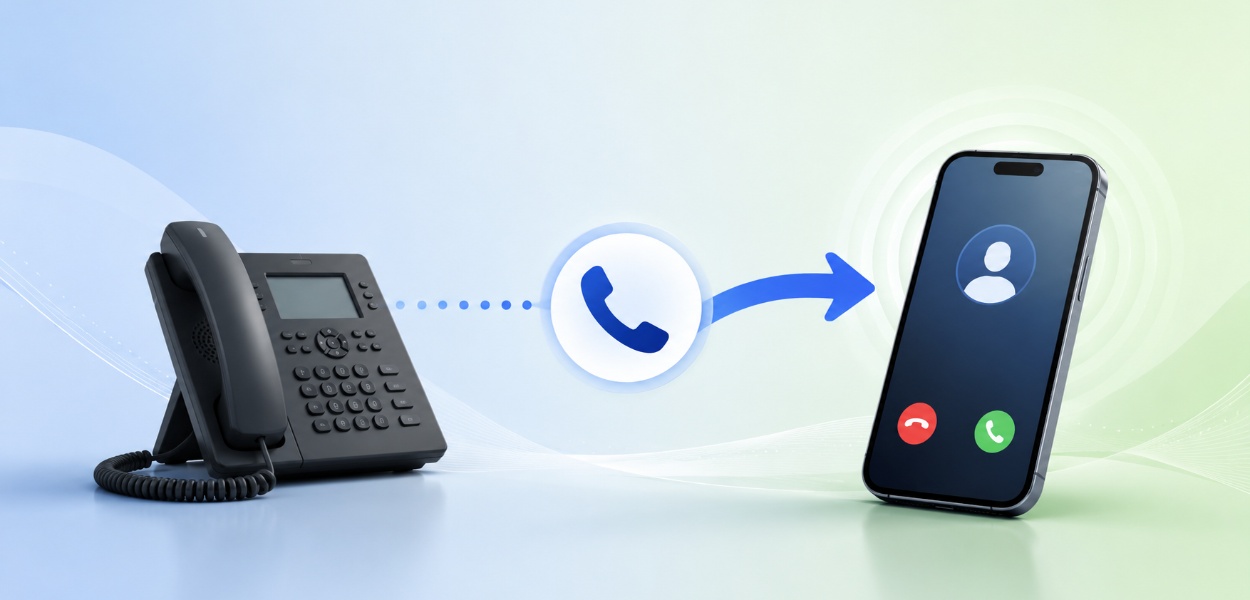
Most small business owners respond to this problem reactively. They set a basic call divert to their personal voicemail and hope for the best. All of these approaches fail at some point. This article covers the practical steps for setting up native call forwarding, and more importantly, why T2K's cloud VoIP platform is the permanent solution.
On an iPhone, the native call forwarding feature is built into the operating system but activated through the carrier network — which is an important distinction with practical consequences.
The steps for enabling call forwarding on iOS are straightforward:
When active, a small phone icon with a forward arrow will appear in the iPhone's status bar. To disable it, return to the same menu and toggle Call Forwarding back off.
Here is where iPhone users frequently encounter a frustrating problem. Because iOS call forwarding is implemented at the network level, the toggle sometimes spins indefinitely without activating.
A few important limitations to understand:
Android's call forwarding is accessed through the Phone app rather than the system Settings, and the exact menu labels vary slightly by manufacturer.
Unlike iOS, Android exposes four distinct call forwarding triggers:
| Condition | What it does | Best use case |
|---|---|---|
| Always forward | All calls diverted immediately, phone never rings | Full redirect to a receptionist or colleague |
| When busy | Diverts only when you are on another call | Overflow handling during a busy period |
| When unanswered | Diverts after ringing for a set number of seconds | Catch calls you miss while on site |
| When unreachable | Diverts when phone is off or out of signal | Emergency backup for no-signal locations |
On many Android devices, you can access call forwarding by dialling specific USSD codes directly from the dialler. For example, **21*[number]# activates unconditional forwarding on most UK networks.
The steps above solve the immediate technical question. But if native call forwarding were a reliable, professional business solution, you would not be reading this. Here are the three problems that consistently surface.
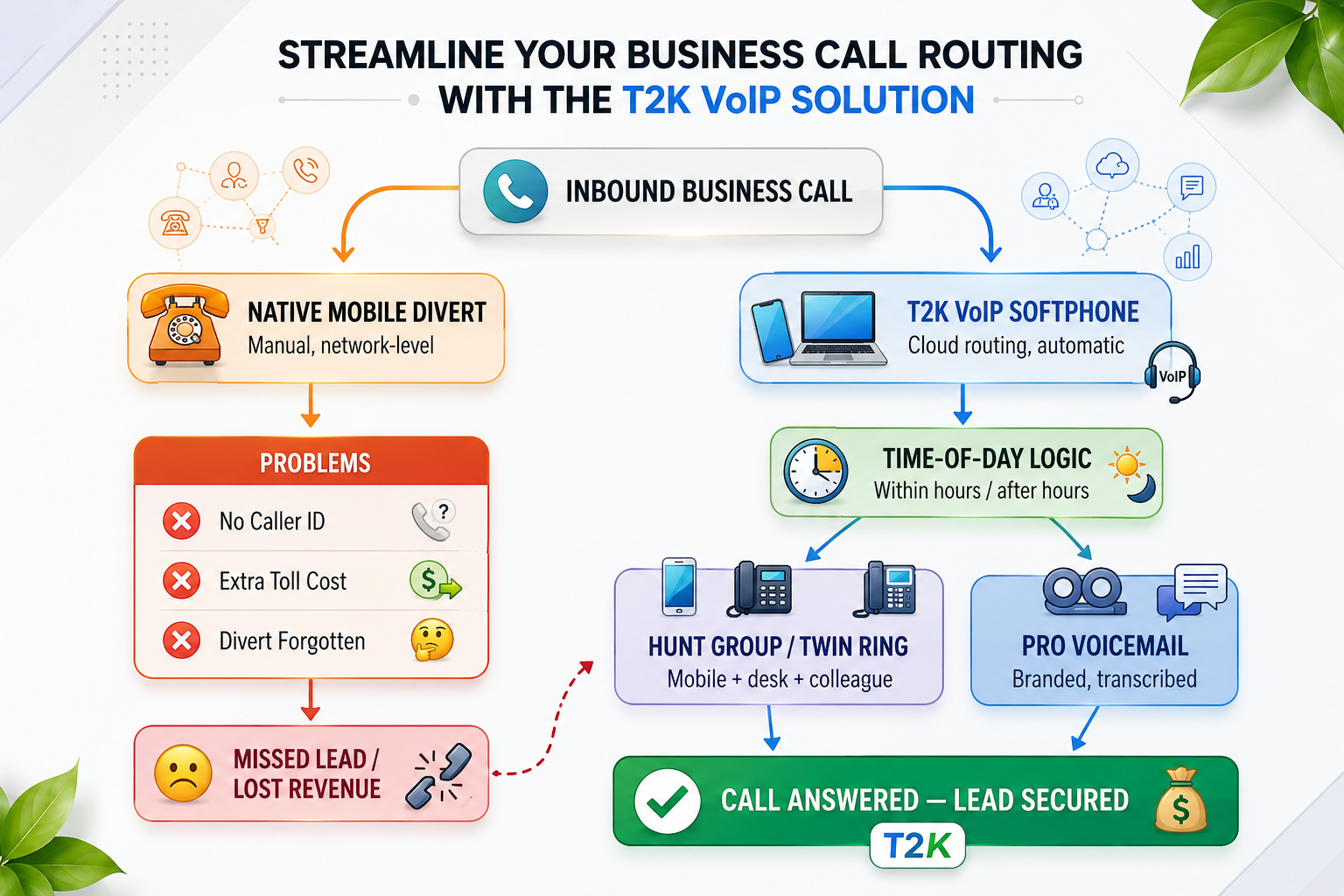
Native call forwarding has no scheduling capability. It is a binary switch that a human being must remember to toggle at the right moment, every single day.
In practice, this means:
When a forwarded call reaches its destination, it typically presents the original caller's number rather than any indication that it came via your business line. If you use your personal mobile as your business number, you have no way of knowing whether you are about to speak to a prospective client or a personal contact.
This matters because it affects how you answer. Answering casually when it is a new lead creates an unprofessional impression.
When your carrier diverts a call, two separate call legs are created: one from the original caller to your number, and one from your number outbound to the forwarding destination.
On many UK mobile contracts, the outbound forwarded leg counts against your inclusive minutes — or triggers out-of-bundle charges. If your business receives a meaningful volume of calls, these charges accumulate quickly.
| Forwarding method | Typical billing impact | Professional features | Schedulable? |
|---|---|---|---|
| iOS native forward | Counts against minutes / out-of-bundle | None | No |
| Android native forward | Counts against minutes / out-of-bundle | None | No |
| USSD code-based | Counts against minutes / out-of-bundle | None | No |
| T2K VoIP routing | Included in VoIP platform | Full PBX feature set | Yes — fully automated |
The approach T2K uses replaces the concept of "diverting" a call entirely. Instead of instructing the mobile network to redirect a call after the fact, the business phone number itself lives in the cloud — and intelligent routing rules decide where it rings, when, and in what sequence, before the call ever reaches a physical device.
A VoIP softphone is an application installed on your existing smartphone that gives you a completely separate business phone line — with its own number, call log, voicemail, and professional identity — running on your personal device without touching your personal number.
When a customer dials your business number, the call routes through T2K's cloud platform and rings the softphone app on your mobile. The incoming call screen shows the business line name, so you know before answering that this is a business call.
This feature makes the largest practical difference to work-life balance. You define a schedule once, and the system automatically applies different routing rules based on the current time:
You configure this once and it runs forever. There is no switch to turn on or off manually.
For sole traders and small teams, T2K offers two complementary routing features:
The routing challenge becomes significantly more complex for business owners or operations managers who need to coordinate the communication behaviour of multiple field staff.
With native mobile call forwarding, every staff member controls their own device settings. This means the manager has no visibility into whether diverts are active and no audit trail when a call is missed.
T2K's cloud platform addresses this by moving call routing out of the individual device and into a central management portal. You configure routing rules, time-of-day schedules, hunt group sequences, and voicemail behaviours for all devices from a single dashboard. Individual staff members cannot accidentally undo your configuration.
A common pain point is a customer calling a specific engineer's number with an administrative question that the engineer cannot handle while working on site.
With T2K's hunt group configuration, the engineer's business number can be set to ring their mobile first, then automatically overflow to the office support team if unanswered. The customer reaches the right person without multiple transfers, the engineer is not interrupted, and the office team handles the query.
T2K is a UK-based telecoms provider specialising in business mobile, cloud VoIP, and unified communications solutions for SMEs, sole traders, and multi-site businesses. The core proposition is straightforward: you focus on your business, T2K handles the routing infrastructure.
When you take a business mobile package or VoIP solution through T2K, the team configures your time-of-day routing schedules, hunt groups, softphone apps, and voicemail greetings for you, based on a brief consultation about how your business operates. The system arrives working correctly from day one.
If your business runs a cloud VoIP phone system for the office, T2K provides the integration that makes mobile and office telephony behave as a single unified platform:
T2K handles number porting for both mobile and landline numbers as a standard part of the onboarding process. Your existing 07 mobile number, your local area code landline, or any non-geographic number you use can be transferred to the T2K platform with no lapse in service. The number stays exactly the same; only the infrastructure behind it changes.
Native call forwarding on iPhone and Android is a genuinely useful feature in a pinch. But as a long-term business communication strategy, it is a manual workaround with compounding failure modes: it requires daily human action, it carries hidden costs, it tells you nothing about who is calling, and it offers none of the conditional logic that modern businesses rely on.
The one big takeaway is this: basic mobile diverts are a temporary band-aid; a unified cloud VoIP solution is the professional cure.
T2K's business mobile and VoIP platform automates everything the native divert cannot: time-of-day scheduling, hunt group cascades, professional voicemail, caller identification, team-wide central management, and full integration with your office phone system.
Contact T2K for a free review of your current mobile contracts and call routing setup. Our team will assess your arrangements and recommend the right combination of business mobile SIMs, VoIP softphone configuration, and routing rules to match how your business actually operates.
Arrange a Free Telecoms ReviewThe softphone app works on any modern iOS or Android device — you do not need new hardware. T2K provision the app onto your existing personal or company mobile, assign it a dedicated business number, and connect it to your routing configuration in the cloud. The app runs alongside your personal number without interfering with it.
No. T2K handles number porting as a standard part of the setup process. Your current mobile number (07 prefix), geographic landline, or any non-geographic number you use can be transferred to the T2K platform and retained in full. The porting process typically takes 1–2 working days for UK mobile numbers.
If your mobile loses internet connectivity, the T2K routing engine detects the device as unreachable and automatically falls back to the next configured option in your hunt group — a colleague's line, the office number, or professional voicemail. You never present a caller with a dead ring simply because you are in a poor signal area.
T2K's routing schedules are fully customisable and can be overridden on demand. For professionals with variable hours, T2K can configure a simple on/off toggle within the softphone app, allowing you to switch between "business hours" and "after hours" routing manually when your schedule demands it.

Lee is Managing Director of T2K Voice & Data and has been with the company for 29 years. He started his career at T2K Voice & Data as a telecoms engineer, later became Sales Director, and was then appointed Managing Director. Having installed, configured and supported business phone systems himself, he gives practical, impartial advice on VoIP, cloud telephony, hosted phone systems and unified communications. As one of T2K Voice & Data’s main authors, Lee writes clear, jargon-free guidance for businesses of all sizes, from small offices choosing their first cloud phone system to multi-site organisations planning a move away from ISDN and legacy lines.
Tell us your needs — we'll match you with the best system and price.
🔒 No spam. Your details are secure. We'll contact you within 24 hours.
Need help? Give us a call on 0808 202 3200
Rated 4.9


