


Sales Director


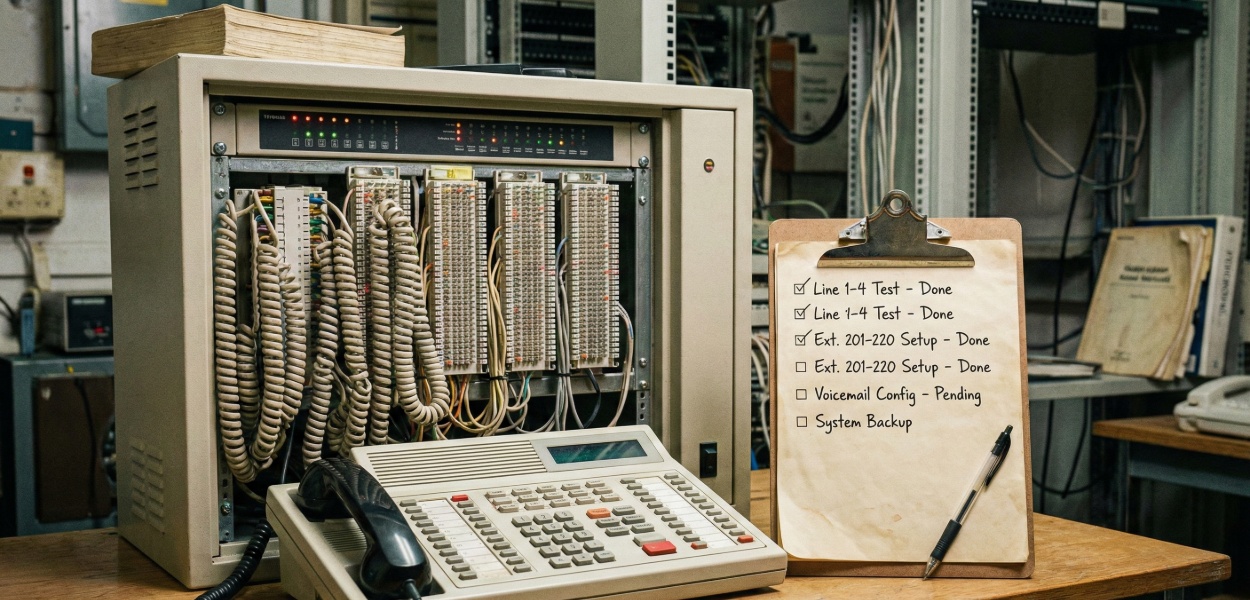


For IT directors and business owners in the UK, the decision to migrate from a legacy PBX (like an ageing Mitel, Avaya, or Siemens/Unify system) to a modern IP-based solution like 3CX is a significant strategic move. The motivations are clear: reduced costs, remote work enablement, and powerful features like CRM integration. But the biggest driver of all is the impending 2027 PSTN and ISDN switch-off, which makes this migration a matter of when, not if.
The core challenge is simple: how do you completely replace your company's "dial tone" without causing a catastrophic, business-wide outage? As our The Ultimate 3CX Guide for Business: Setup, Pricing, Features, and Best Practices explains, this is a critical undertaking. This guide provides the complete, exhaustive checklist for planning and executing that migration with a focus on the UK market, covering the porting process, minimising downtime, and crucial post-migration checks.
Success in a PBX migration is 90% planning. The "cutover" day should be the fast, boring conclusion to a long, meticulous preparation phase.
Before you do anything, determine your required 3CX licence.
Determine Simultaneous Calls (SC): This is your most critical licensing metric. It's not your user count. A common rule of thumb is 1 SC for every 3-4 users. A 100-user company will likely need a 24 or 32 SC licence.
Select Your Host: Where will 3CX live?
Action: Build the 3CX Server now. Install 3CX, apply your licence key, and get the system online. You will build the entire new system in parallel while your old PBX continues to run.
Run the 3CX Firewall Checker: Your 3CX server (on-prem or cloud) must have all its ports correctly configured. Run the Firewall Checker in the admin console and ensure it passes with all green checkmarks. This is non-negotiable.
Assess Bandwidth: A modern G.711 (high-quality) voice call uses about 80-100 kbps per call.
[Max Simultaneous Calls] x [100 kbps] = Required Bandwidth
Example: 32 SC = 3.2 Mbps
This is typically not an issue for data, but you must ensure your firewall's Quality of Service (QoS) rules prioritise this (RTP) traffic to prevent jitter and choppy audio.
Check Local Network: Your local switches must have PoE (Power over Ethernet) to power the new IP phones. If not, you must order PoE injectors or new PoE-capable switches.
This is the most time-consuming but crucial part of the planning. You must completely document your current system to replicate its functionality in 3CX.
Export a full user list from your legacy PBX. You need:
Call Flow "Discovery": How do calls actually get into your company?
This is the scariest part of the migration for most businesses. Porting is the "legal" process of moving your phone numbers from your old carrier (e.g., BT, TalkTalk) to your new SIP trunk provider.
The Golden Rule of Porting: Do not cancel your old service! This is the #1 rule. If you cancel your service with your old provider before the port is complete, you will lose your phone numbers forever. The porting process is the cancellation.
You must sign up with a new SIP trunking provider. This is the company that will deliver your calls over the internet to your 3CX PBX. Your old ISDN lines will be made redundant.
UK Examples: Gamma and other popular, 3CX-compatible UK providers.
Action: Create an account with your chosen provider. This is who you will be porting your numbers to.
You will submit a Letter of Number Porting (LNP) or "Port Order" to your new SIP provider. Learn more about how phone number porting works.
Required Info: You must provide them with:
Warning: The information must be 100% accurate. A single typo in the business name or post code will cause the port to be rejected, adding weeks to your timeline.
Your new provider submits the port request to your old provider (e.g., BT Openreach). This takes time (anywhere from 1 to 4 weeks).
Eventually, the providers will agree on a FOC (Firm Order Commitment) Date. This is the exact date and time (usually a specific 4-hour window) when the port will be executed.
This FOC date is your migration D-Day. You must schedule your entire cutover around this date.
While you wait for the FOC date, your new SIP provider will give you SIP trunk credentials (e.g., server address, auth ID, password).
Action:
Testing: Your provider will likely give you some temporary DIDs (phone numbers). Buy one or two. Assign them to your 3CX system and test all functionality. Make inbound/outbound calls. Test your IVRs. This proves the 3CX server is working before your main numbers are ported.
Downtime is not inevitable. With the "parallel build" strategy, you can achieve a "flash cut" migration with less than 5 minutes of total downtime.
You have your old Mitel system, and it's 100% functional. You also have your new 3CX server, 100% functional, using its temporary numbers. You will use the 2-4 weeks of port-waiting time to build a perfect clone of your old system inside 3CX.
| Timeline | Activities |
|---|---|
| Week 1 | Create all user extensions in 3CX using the User Data Audit. |
| Week 2 | Build all your Ring Groups and Call Queues (e.g., "Sales," "Support"). |
| Week 3 | Build your main IVR/Digital Receptionist and your "After-Hours" routing. |
| Week 4 | Deploy all the new IP phones to the users' desks. |
Crucial: Plug the new Yealink phone in next to the old Mitel phone. The Yealink phone is provisioned to 3CX. The Mitel phone is still active. Users are trained to ignore the new phone until "go-live" day.
Your FOC date is today at 2:00 PM. Here is the plan:
Log in to your 3CX Admin Console. Go to Inbound Rules. You have already built rules for all your porting numbers (e.g., "DID 0161 123 4567 -> Main IVR," "DID 0161 123 4568 -> John Smith"). Double-check everything.
You are on the phone with your new SIP provider's support team. You make a test call to your main number from your mobile. It still rings on the old Mitel system.
Your new provider says "The port is complete." You hang up and call your main number from your mobile again. Click. You hear your new 3CX IVR greeting. Inbound calls are now flowing to 3CX.
Your inbound calls are working, but your outbound calls on 3CX are still using the temporary numbers as their Caller ID.
Action: Go to your new SIP Trunk settings in 3CX. Change the "Main Trunk Number" from your temporary DID to your newly ported main number. Go to Outbound Rules. Ensure your outbound rules are set to use the correct Caller ID from your newly ported numbers.
Make an outbound test call from your new 3CX phone. The person you call should see your main company number as the Caller ID.
Final Step: Send the company-wide email: "The migration is complete. Please unplug your old Mitel phones and use your new Yealink phones."
The cutover is done, but the project is not over.
For the next 24-48 hours, you are in "hyper-care" mode.
Test Every DID: Get your original list of all ported DIDs. Call every single one from an external phone (e.g., your mobile). Does it route to the correct user/IVR/queue? This is tedious but you will find a typo or a missed rule.
Test All Outbound Rules: Have users from different departments (Sales, Support) make outbound calls to test.
Test Emergency Services (CRITICAL):
Your users have been using the same Mitel phone for 15 years. They do not know how to use a modern VoIP phone, and they especially don't know the power of the 3CX Web Client.
Schedule Training Before the Cutover: In the weeks leading up to the migration, hold mandatory 30-minute training sessions.
Focus on the Clients: Do not waste time teaching them the buttons on the desk phone. Spend 90% of the training on the 3CX Web Client and Mobile App.
Create "Cheat Sheets": A one-page PDF showing the top 5 most common tasks. Email it to all users and tape a physical copy to their monitor on migration day.
Migrating from a legacy PBX to 3CX is a transformative project that will modernise your business communications, especially with the 2027 ISDN switch-off looming. The risk of failure is real, but it is 100% manageable. By meticulously auditing your current environment, building your new 3CX system in parallel, and managing the porting process with precision, you can execute a "flash cut" migration with near-zero downtime. The final, critical ingredient is user training—a well-deployed system is only successful if your team knows how to use it.
Our experts can help you plan and execute a seamless migration to 3CX with minimal disruption.
Get Expert AdviceDiscover why 3CX offers greater flexibility and control for your business communications.
Prepare your business for the 2027 PSTN/ISDN shutdown with our comprehensive guide.
Learn the complete process for transferring your existing numbers to your new VoIP system.
Understand the technology that powers modern business phone systems.

With over 25 years’ experience at T2k, Lee began his career as a telecoms engineer before progressing to Sales Director. He leverages his foundational technical knowledge to provide businesses with impartial, expert advice on modern communications, specialising in VoIP and cloud telephony. As a primary author for T2k, Lee is dedicated to demystifying complex technology for businesses of all sizes.
Tell us your needs — we'll match you with the best system and price.
🔒 No spam. Your details are secure. We'll contact you within 24 hours.
Need help? Give us a call on 0808 202 3200
Rated 4.9


